Animated video element
Laptop screenshot
Your website or software screenshot shows on a realistic 3D laptop, in a generic browser with no name or logo: the page scrolls, then a cursor clicks. The screen can also stay transparent or green so you can drop in your own video while editing.
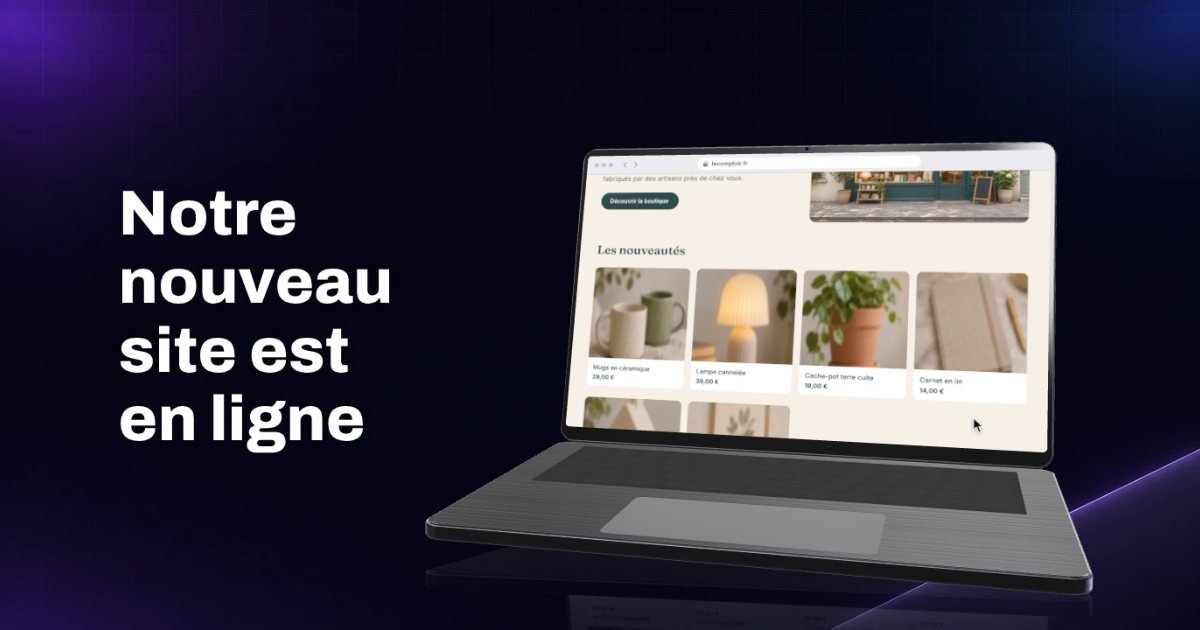
16:9, 9:16 and 1:1 · transparent background (ProRes 4444) or MP4 · Premiere Pro, DaVinci Resolve, Final Cut, CapCut
Ideal for
- Present your new website
- Show software or an online tool
- Illustrate a computer tutorial
What you can customise
- Screen
- Screenshot
- Tagline
- Browser bar
- Website address
- Screenshot scroll
- Clicking cursor
- Click height
- Accent color
- Text color
How to use it
- Customise Text, colours and font right in your browser, with a live preview. With Pro, your brand kit applies in one click.
- Export As transparent ProRes 4444 or MP4, in 16:9, 9:16 or 1:1.
- Drop it in your timeline Premiere Pro, DaVinci Resolve, Final Cut or CapCut: the animation sits on top of your video, no plugin needed.